Quilt math you can trust — right on your phone.
QuiltMath turns quilt measurements into clear calculations and visual cutting plans. Twelve calculators cover everyday and advanced workflows, while Extra adds a live quilt layout designer.
What QuiltMath does
Plan fabric cuts with clear, offline quilt calculations. Switch between inches and centimetres, enter your measurements, and see a cutting plan with the assumptions shown.
Visual guidance with every calculation
Each result includes a diagram that connects your measurements to the quilt pieces, so the cutting plan is easier to understand before fabric reaches the table.
Binding strips & yardage
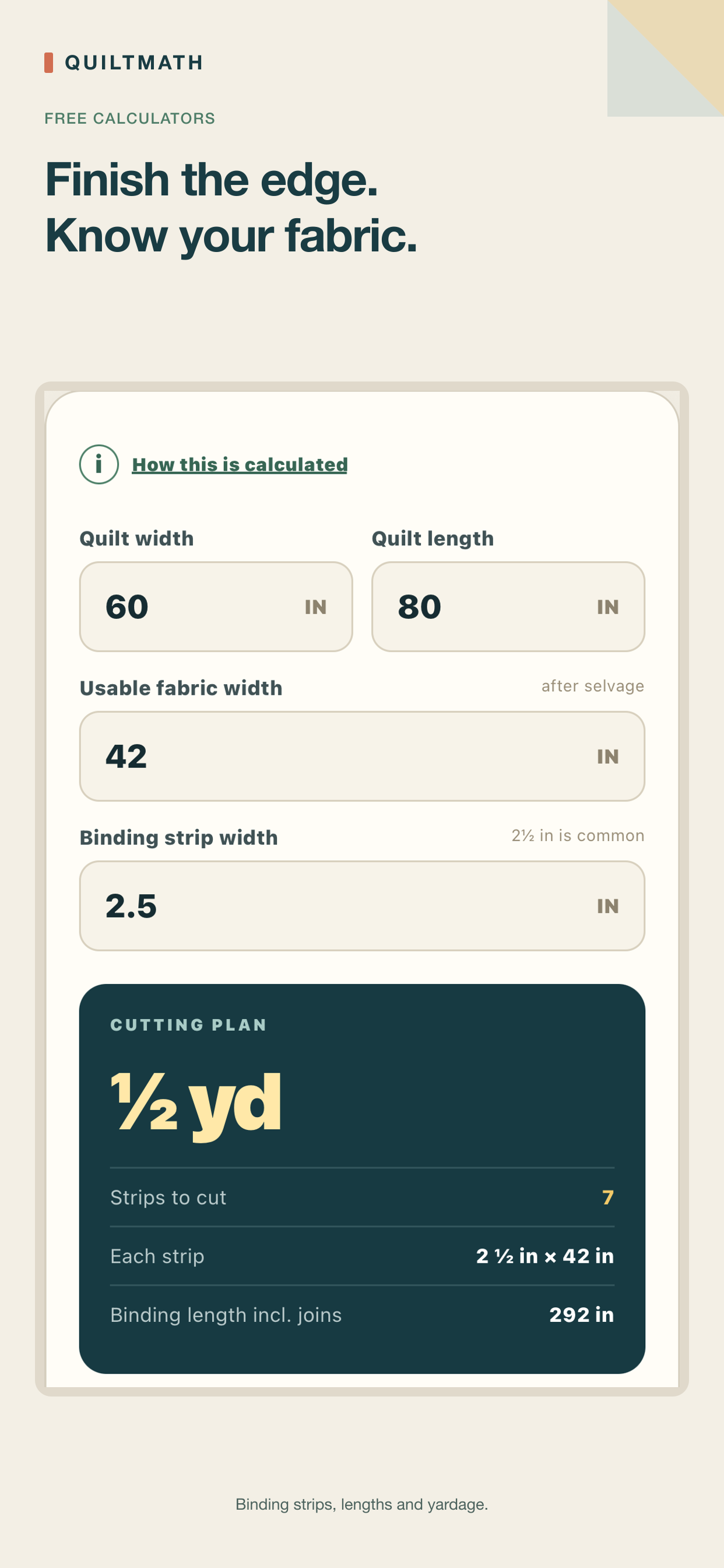
Calculate binding strip counts and fabric needed for any quilt perimeter.
Backing panels
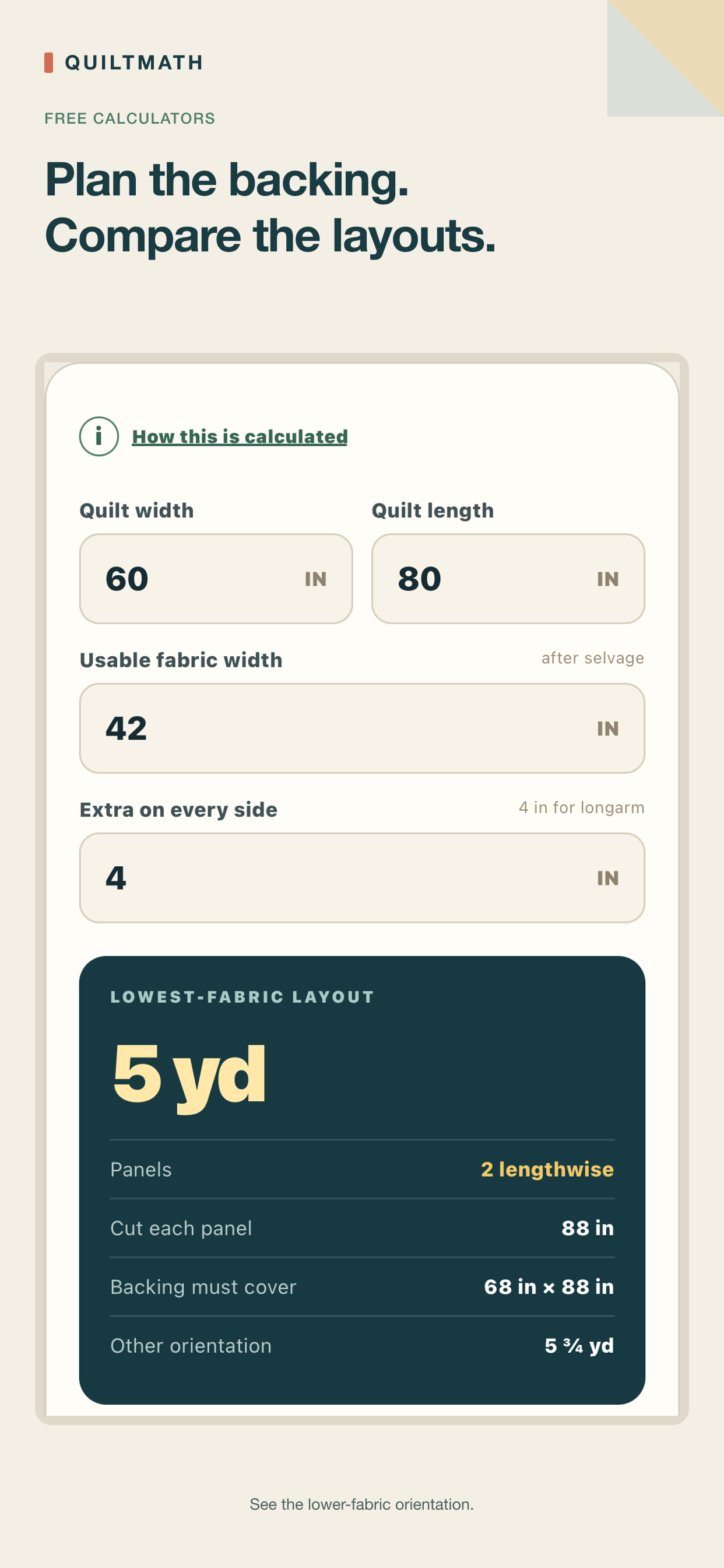
Find backing yardage and the lower-yardage orientation automatically.
Half-square triangles
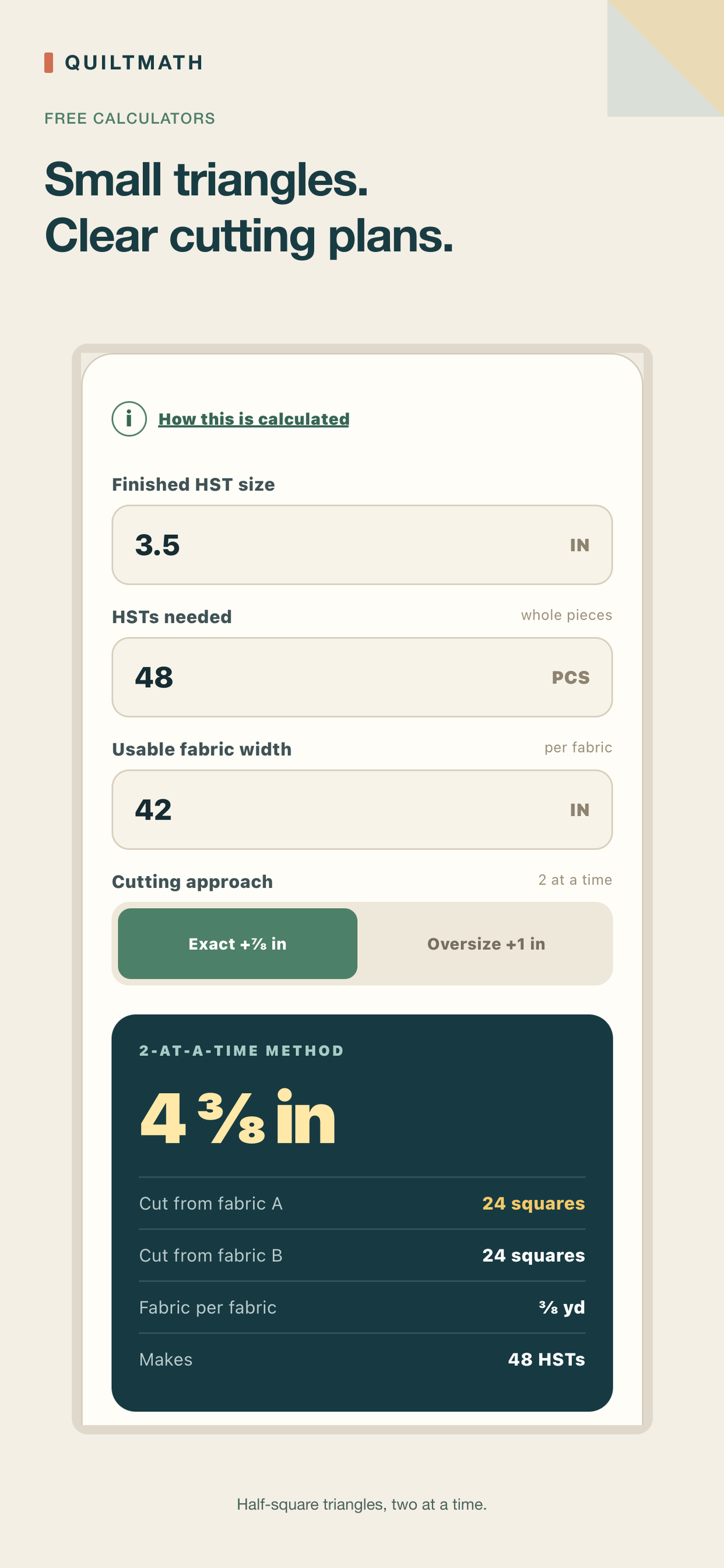
Two-at-a-time HST sizing with the seam allowance already accounted for.
Inches or centimetres
Switch units at any time — all calculations stay on your device.
No account, no ads, no analytics
Nothing to sign up for and nothing tracking you. Calculations happen entirely on your device.
★ Premium — one-time purchase, not a subscription
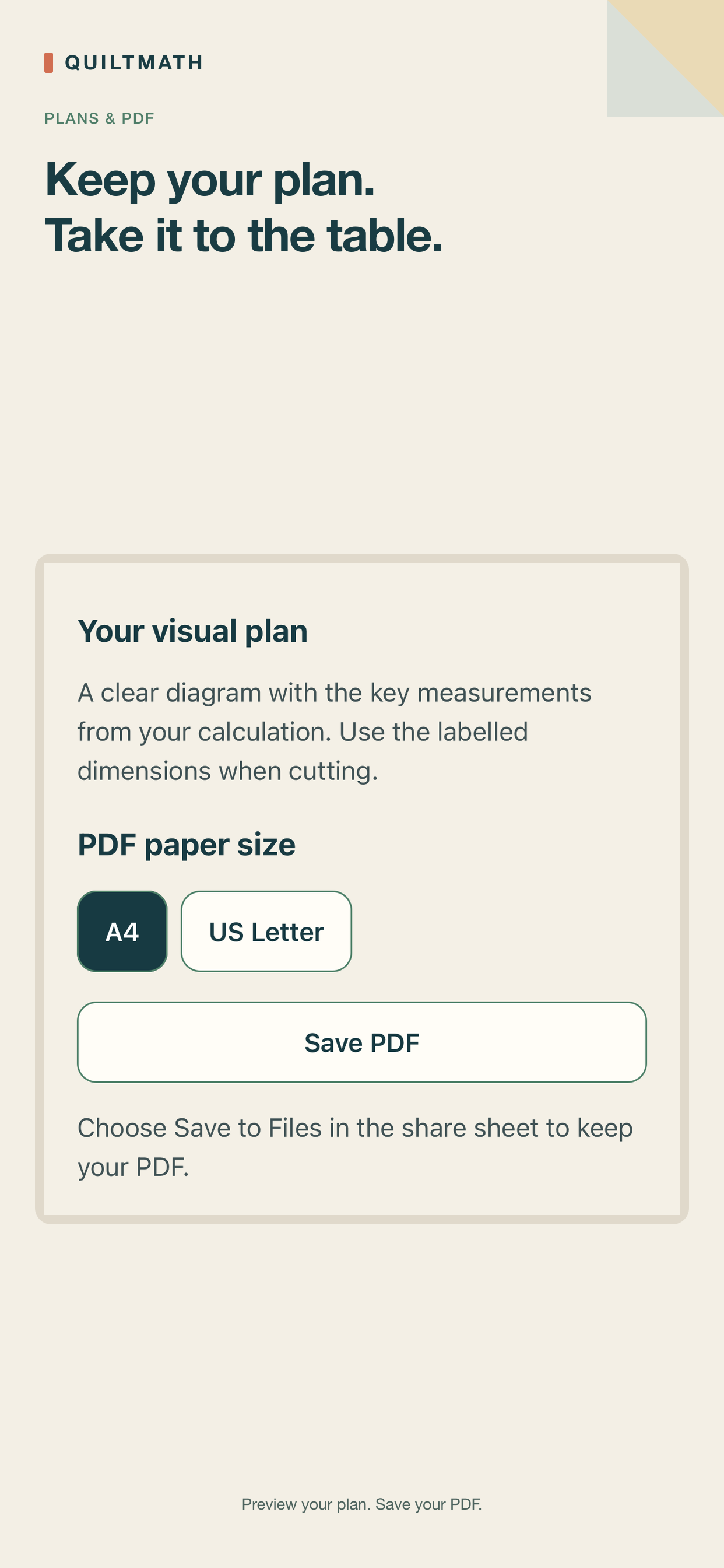
Visual previews & PDF plans
Open any of the twelve calculator guides full-screen with the current measurements, then save or share it as a PDF for the cutting table.
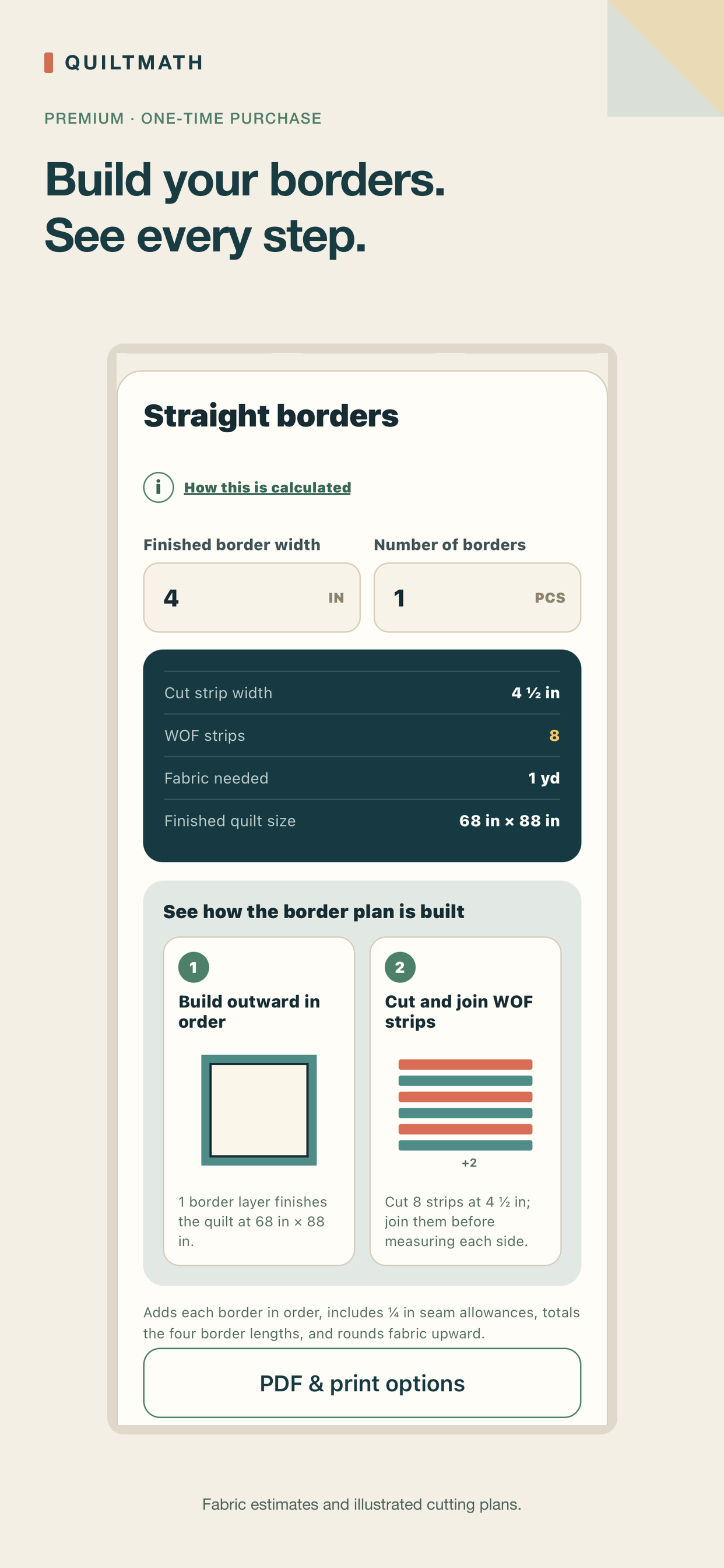
Borders & sashing
Straight-border planning plus join-friendly and piece-aware sashing options, so you can pick the pooled estimate or the more conservative per-row plan.
Flying Geese
No-waste four-at-a-time cutting for the standard 2:1 finished ratio. A non-standard ratio shows guidance instead of numbers that wouldn't apply.
Quarter-square triangles
Two-at-a-time QST sizing for two fabrics, with exact and oversize-and-trim cutting allowances shown in the interface.
Continuous bias binding
Plan continuous bias strips instead of straight-grain binding, compared side by side with the standard method.
Setting triangles
Corner and side triangle sizing for on-point layouts, automatically rounding dimensions to ruler-friendly fractions.
Diagonal backing
Find out if a diagonal-seam backing is more efficient than straight panels, and exactly how to cut it.
Precut packs & yield
Calculate how many Charm or Jelly Roll packs you need, or see how many smaller squares you can yield from the fabric you own.
Block calculator
Instant dimensions and cut counts for Nine Patch, Rail Fence, and Pinwheel blocks.
Saved projects & PDF export
Name and keep quilt projects on-device, then save or share a PDF cutting sheet covering every calculator.
✦ Extra — one-time purchase (includes all Premium features)
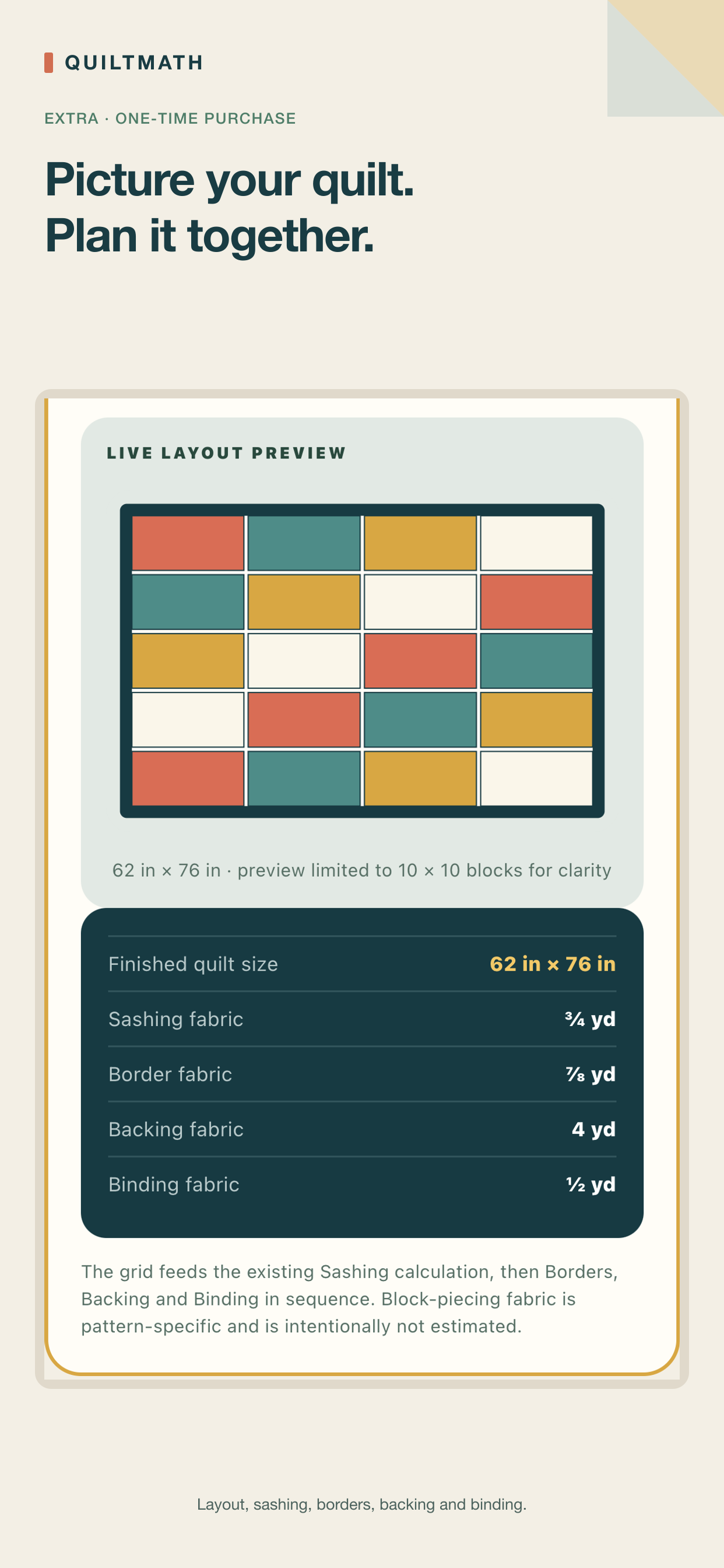
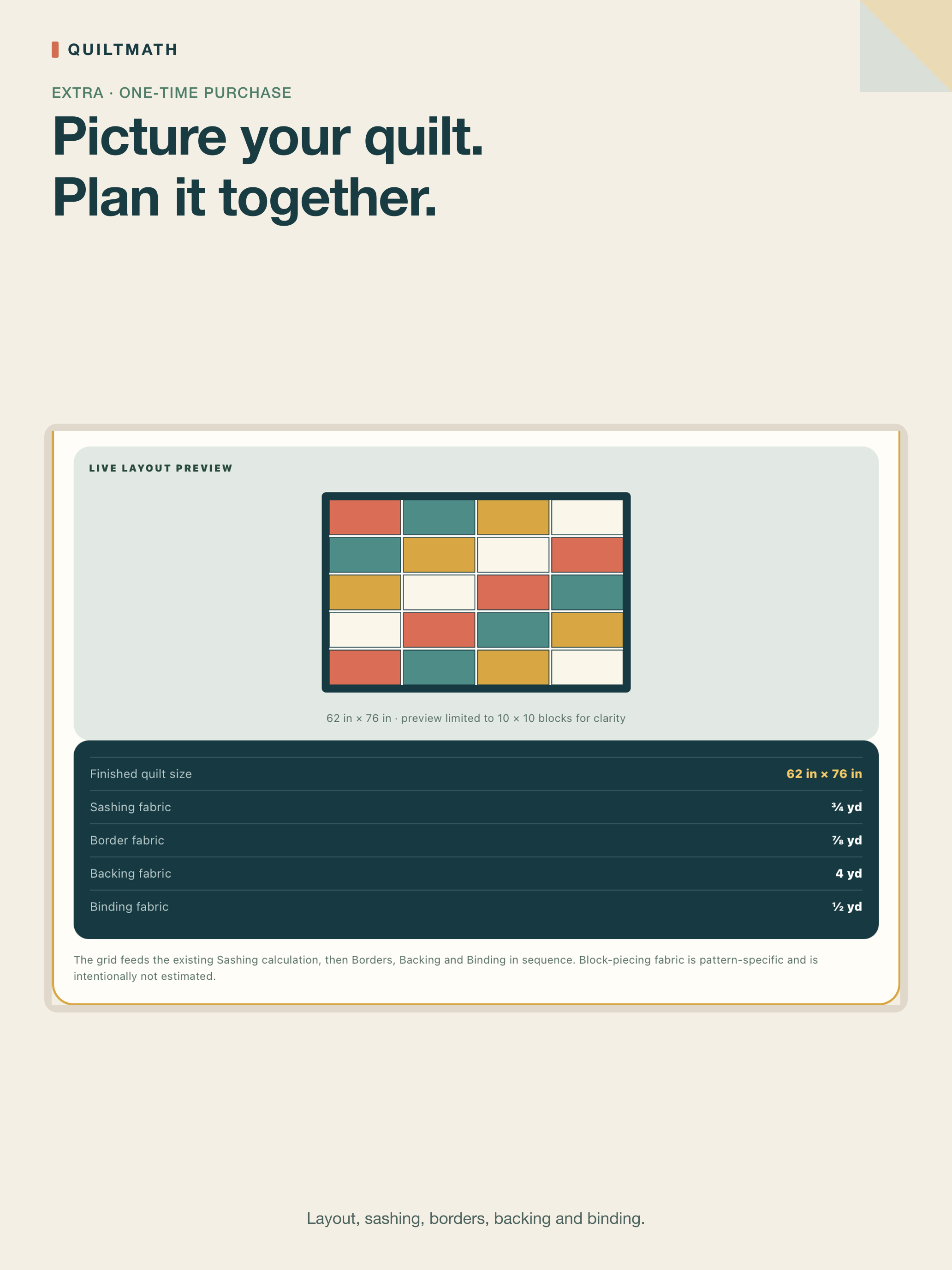
Quilt Layout Designer
Plan a uniform block grid with optional sashing and borders. See a live preview, and get one joined cutting plan that connects your blocks directly to backing and binding.
How the numbers work
QuiltMath shows a planning estimate, not a pattern-specific cutting instruction. Here's exactly what each calculator assumes, so you know what you're getting before you cut.

How much extra fabric does binding add for corners and joins?
QuiltMath adds 12 in (30.5 cm) to the quilt perimeter for corners and joins, then rounds the total up to the next practical 1/8 yard or 0.1 m.
What seam allowance does the half-square triangle calculator use?
The two-at-a-time method adds 7/8 in for exact cutting, or 1 in for oversize-and-trim, and quantities always round up to a complete pair.
Does Flying Geese work for any block ratio?
It uses the no-waste four-at-a-time method for the standard 2:1 finished ratio. A non-standard ratio gets guidance instead of cutting dimensions that wouldn't apply.
How does QuiltMath pick a backing layout?
It compares lengthwise and crosswise panel layouts with your chosen overhang, and shows the lower-yardage option first.
Why does QuiltMath round fabric amounts up?
Purchase amounts round up to the next practical 1/8 yard (imperial) or 0.1 m (metric), so you're buying a size fabric stores actually sell, with a small safety margin.
Should I still double-check before cutting?
Yes — always measure the finished quilt top, compare the result with your pattern, and cut a test unit before cutting all your fabric.
On iPhone and iPad
Screens from the released iOS version, showing the free calculators, Premium borders, Extra layouts and PDF saving. Select a screenshot to see it full size.

See the iPad layout
QuiltMath for iPhone & iPad
Available on the App Store
QuiltMath 1.5.2 is available for iPhone and iPad running iOS or iPadOS 16.4 or later. Start with three free calculators; Premium and Extra are optional one-time purchases.
Visual previews and A4/US Letter PDF saving are included in the optional upgrades. Direct in-app printing and full-size 1:1 cutting templates are not included.
Already upgraded? Use Restore purchase in the app with the same Apple Account. Buying or restoring an upgrade requires internet; calculations and PDF creation run on your device.